
Account, support and safer play
Bunnico Help
Everything about running your Bunnico account from a UK address is on this page: the two-step sign-up, logging in, reaching the support team, the limits and exclusion tools in the responsible gambling policy, and how a complaint is handled. We also point to the UK charities that offer free and confidential help.
Registration
Signing up in two steps
The Register button opens a pop-up marked REGISTRATION 1/2. Step one is short; we were through it in less than a minute. There are no Google, Apple or Facebook buttons, so an email address is the only route in.
In the bonus selector, choose PROMOCODE when you hold a code, otherwise keep No Bonus.
Type in an email and pick a password.
Tick the first box to state your age is 18 plus and to agree with the Terms of Service as well as the Privacy Policy.
The second tick box covers marketing messages and calls, and you can leave it empty.
Complete step 2 with your profile details.
The AML policy lists the details every profile needs: your full name, gender, birth date, nationality, home address and the country you live in. Match them letter for letter to your documents, because the verification team will compare them later. One account per person, device, IP address and browser is the rule.
Access
Logging in on phone or desktop
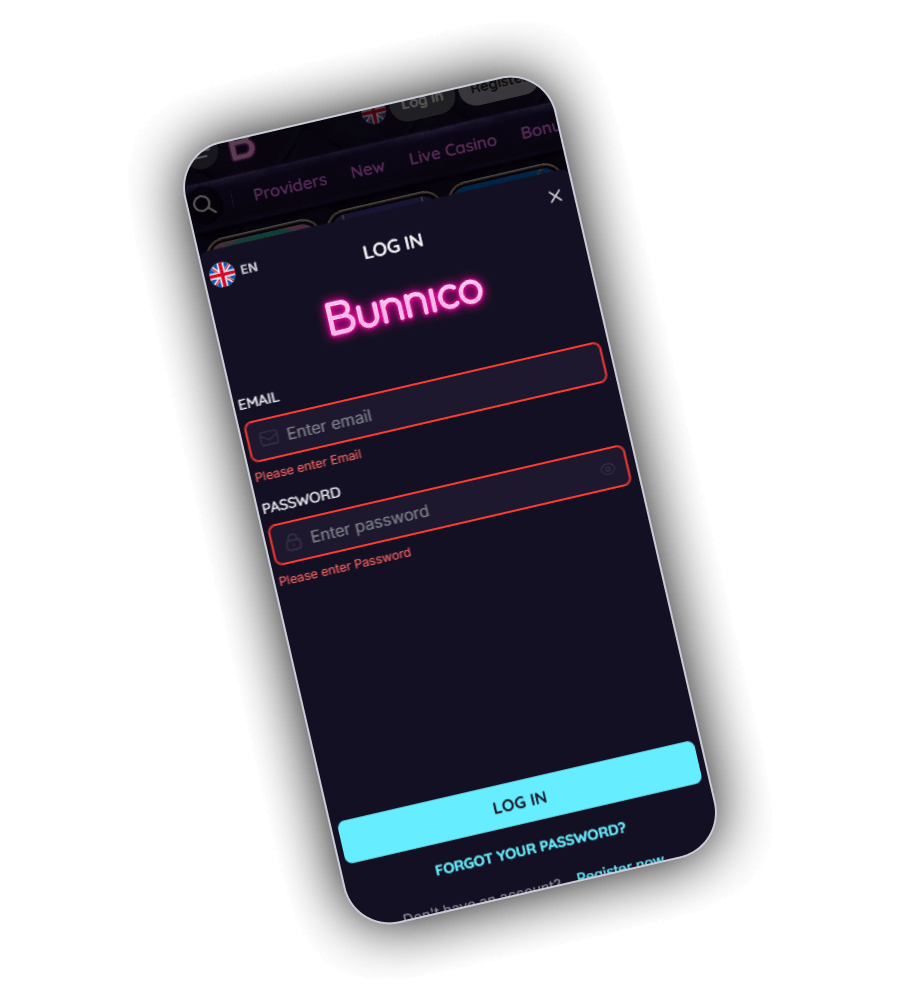
In the header, Log in is placed beside Register. The pop-up has two fields, email and password, an eye symbol that reveals the password and a cyan Log In button. Leave a field empty and it turns red with a short prompt. Below the button are a Forgot your password link for resets and Register now for new visitors.
The same form works in the mobile browser and in the home screen app, so you only need one set of details. Keep your password to yourself: the terms make you responsible for anything done through your account.
Contact
Reaching the Bunnico support team
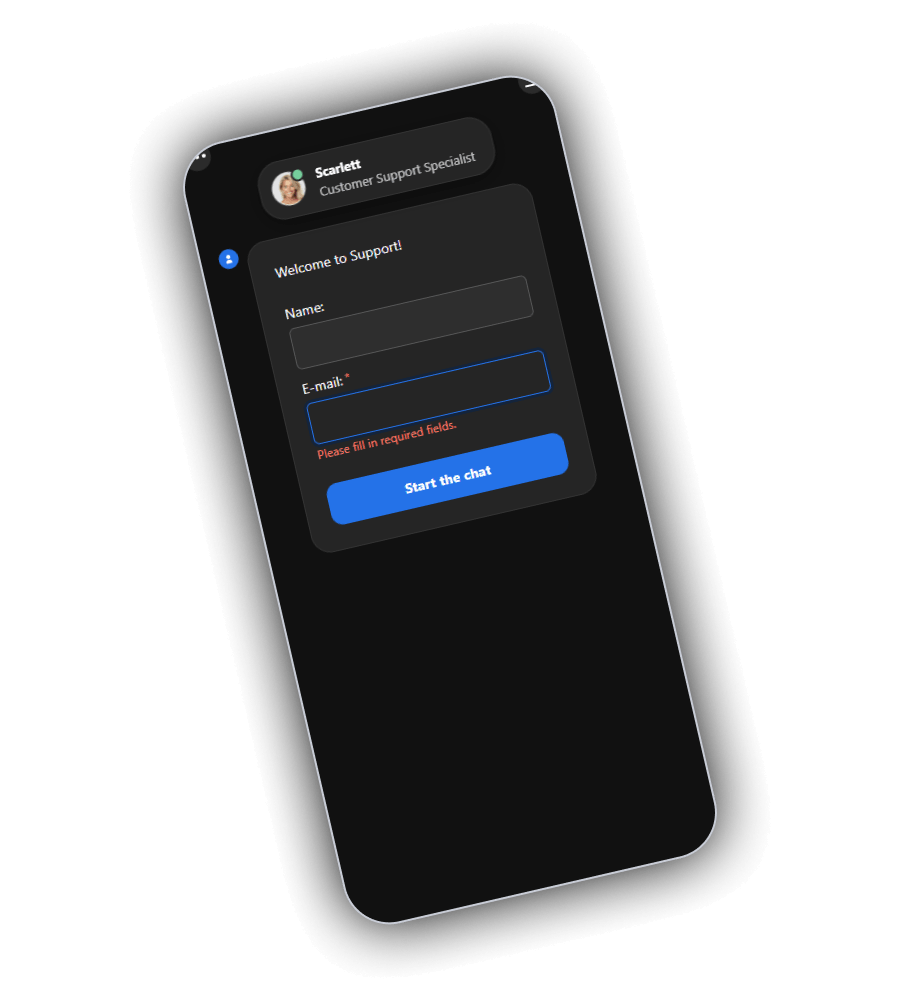
Contact Support in the footer opens a LiveChat window in the bottom corner. At the top, Scarlett appears as Customer Support Specialist, marked online by a green dot. A small form comes first: the name field is optional, the email field is required. Press Start the chat and you are in the queue. The footer marks support as open 24/7.
If you want a paper trail, write to [email protected]. Self-exclusion requests go to a separate address, [email protected]. Bunnico offers no telephone number, ticket form or help articles, and support runs in English. Failed verification cases are given a ticket number by the KYC team.
- Live chat
- 24/7, email needed to start
- General email
- [email protected]
- Self-exclusion
- [email protected]
- Language
- English
- VIP extra
- Messenger support and a personal manager
Responsible gambling
Limits, exclusion and where to get help
Bunnico is licensed in Anjouan, and GamStop only covers sites licensed in Great Britain. A GamStop block on your other accounts has no effect here, and the tools below are the only ones available inside the account.
| Tool | How it works |
|---|---|
| Stake limit | Cap your stake size; edits apply a full day later |
| Cooling-off | Mentioned in the game terms, no fixed periods listed |
| Self-exclusion | Email [email protected] stating how long |
| Reopening | Automatic at the end unless you ask to extend at least 24 hours before |
| Self-test | Seven questions on the responsible gambling page |
| Under-18s | Age checks, and filtering tips such as NetNanny and Cyber Patrol |
Loss limits, deposit limits and session reminders are not described in the policy. If you want a firm cap, the gambling block in your banking app is the surest option, and most UK banks let you switch one on in their app. During self-exclusion the account stays closed for the whole period. Early return can be requested, though Bunnico decides.
Free help in the UK
- GamCare: free advice any hour, phone 0808 8020 133 or chat on its website.
- Gamblers Anonymous holds regular meetings in towns across the country.
- Gambling Therapy: worldwide online help, also for family members.
Disputes
How a complaint is handled
First contact the chat team or write to [email protected]. If the first agent cannot fix the problem, the case is escalated inside the company. Only the account holder may complain, and a complaint cannot be handed to anyone else. Claims older than one year are not accepted.
Because the operator is licensed in Anjouan, a UK dispute cannot go to a UKGC-approved ADR service. After support, your next stop is Anjouan Gaming, the regulator behind licence ALSI-202509029-FI1. Keep screenshots, transaction IDs and copies of your emails from the start, since they make any review much quicker.
Questions
Questions about your Bunnico account
Can I sign up with Google or Apple?
No. Bunnico only offers email and password sign-up, in two short steps.
Does Bunnico have a phone number?
No. Support is chat-only around the clock, plus email at [email protected].
Is Bunnico part of GamStop?
No. As an Anjouan-licensed site, Bunnico sits outside GamStop.
How do I exclude myself from Bunnico?
Write to [email protected] stating how long. Your account stays shut until then.
Is there a deadline for complaints?
Yes, one year. Begin with the chat or the support inbox.
Open an account in two steps and the chat team is there whenever you need it.